

FAQs University Startups Ask Before Building Their First Prototype
- Posted On:
- January 29, 2026
- Category:
- Ecad
For every university startup, the first prototype isn’t just another project step — it’s the turning point where your idea becomes something real.
After weeks of brainstorming, circuit simulations, and layout edits, this is the moment when your design moves from a glowing screen to a real printed circuit board.
But right before sending it for fabrication, there’s always that quiet pause. The room feels different.
You look at your board one last time — and the questions start running in your head.
Is it really ready? Did we check everything? What if it fails after fabrication?
That mix of confidence and doubt is normal. It shows that you care. Because most prototype failures don’t happen because of bad ideas — they happen because of small, overlooked details.
A missing capacitor. A wrong footprint. A trace routed too close to another. These little things can ruin months of effort.
That’s why smart teams slow down at this stage. Not to waste time, but to ask better questions — the kind that turn uncertainty into clarity.
In this blog, we’ll explore the most common questions university startups ask before building their first prototype — and how these answers can save time, money, and frustration later.
1. What exactly counts as a “prototype”?
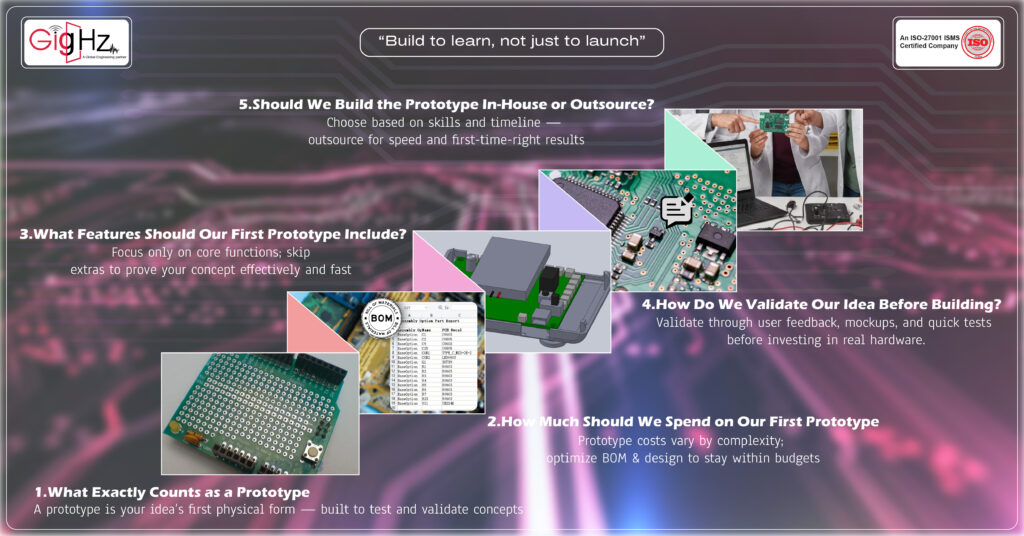
A prototype is the first physical or functional version of your idea — used to test feasibility, validate assumptions, and prove the concept. It doesn’t need to be perfect; it just has to work enough to show the core functionality.
For university startups, prototypes typically fall into three forms:
- Concept Prototype (Basic) → sketches, 3D models, early design files
- Functional Prototype (Working) → electronics + PCB + basic enclosure
- Pre-Production Prototype (Refined) → optimized PCB, enclosure, manufacturable design
If your startup involves electronics or hardware, we help teams build functional prototypes fast using:
- PCB design + layout
- Simulation (SI, PI, EMI/EMC)
- 3D modeling + enclosure design
2. How much should we spend on our first prototype?
Most student startups struggle with budgeting because they don’t know what price range is “normal”. The cost depends on complexity, materials, PCB layers, components, and testing needs.
Here’s a rough guideline:
Prototype Type | Typical Cost (Student Startups) |
Basic MVP (simple PCB, sensors, microcontroller) | ₹8,000 – ₹20,000 |
Mid-range Prototype (multi-layer PCB, enclosure) | ₹20,000 – ₹60,000 |
Advanced Prototype (RF, high-speed, IoT product) | ₹60,000 – ₹1.5 lakh+ |
To reduce costs, we help startups by:
- Optimizing BOM (selecting low-cost available parts)
- Ensuring first-time-right PCB design
- Avoiding re-design cycles through simulation
3. What features should our first prototype include?
You should not build a full-feature product in version 1. Your first prototype must only include the core functionality needed to validate the idea.
Ask yourself:
- “What is the minimum action the device must do to prove it works?”
- “Which features can be added later once users test it?”
Your prototype should include:
Core functionality (logic, sensors, main electronics)
PCB designed only for essential circuits
Basic enclosure or 3D print (if needed)
Test points for debugging
Avoid:
Fancy UI/UX
Extra sensors/modules
Over-engineering the PCB
Full production casing
We help student founders identify core vs. extra features through schematic capture + design review sessions.
4. How do we validate our idea before/while building the prototype?
Validation is more important than prototyping. Many startups waste months building something nobody wants.
You should validate by talking to real users, showing early mockups, or demonstrating the basic working concept.
Ways to validate quickly:
- Show concept presentations to potential users
- Use Figma/3D model mockups
- Build a simple breadboard version before PCB
- Create a small waitlist or feedback group
- Run simulation to check viability before manufacturing
Our team supports early validation through:
- BOM risk analysis
- Feasibility checking
- Low-cost prototype review
5. Should we build the prototype in-house or outsource it?
Both options work, but the right choice depends on your skillset, timeline, and complexity.
Build In-House If:
- You have ECE/EEE students with PCB design experience
- Prototype is simple (Arduino-level)
- You’re experimenting and okay with iterations
Outsource If:
- You need fast turnaround
- You want first-time-right PCB design
- You need simulations (SI/PI/EMI)
- You want a polished prototype to pitch investors
We support university startups with end-to-end prototype development — from schematic to PCB, enclosure, and final assembled prototype.
6. How do we protect our idea or IP when prototyping?
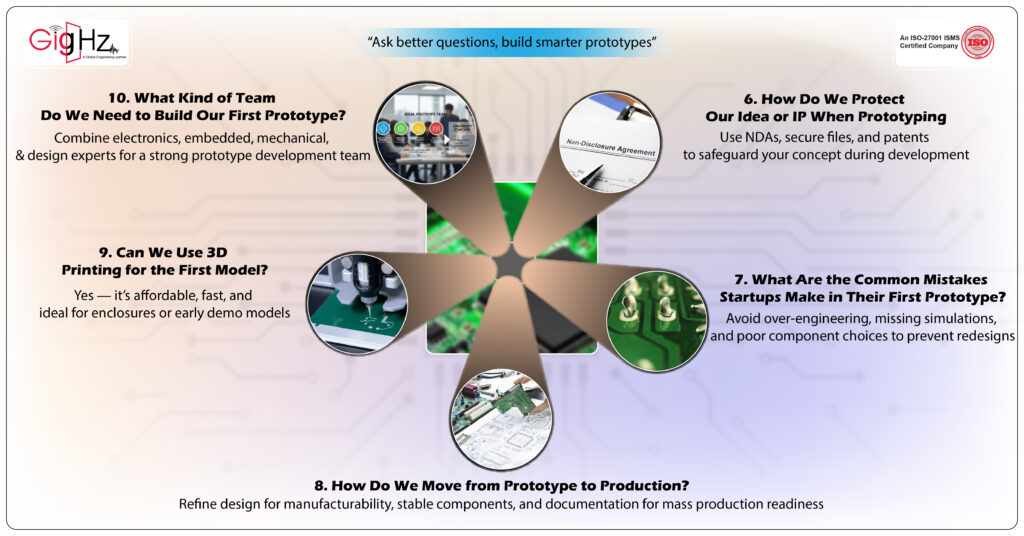
Student founders often fear sharing design files. Protecting IP becomes important when working with external vendors.
Steps to protect your IP:
- Sign NDAs with your design/manufacturing partners
- Keep original design files on your own cloud
- Patent the idea (even a provisional patent works)
- Share only the required parts of the design
- Avoid publicly posting technical details before filing
We sign NDAs with every student startup to protect their concepts throughout the design process.
7. What are the common mistakes startups make in their first prototype?
Here are the top mistakes that delay prototypes or increase cost:
Common Mistakes
- Over-engineering the first version
- Choosing unavailable or expensive components
- Not checking DFM/DFT before PCB design
- Skipping simulation → leading to redesign
- Not planning enclosure early → PCB doesn’t fit
- No testing plan
How we help avoid them:
- DFM, DFT, BOM review
- SI/PI/EMI simulations
- 3D enclosure + PCB fit check
- Design review before fabrication
8. How do we move from prototype to production?
After you successfully test your first prototype, you need to refine it for manufacturability and mass production.
Steps from prototype → production:
- Optimize the PCB for manufacturing (DFM checks)
- Choose stable components (BOM availability)
- Validate enclosure and mechanical design
- Perform stress, EMI/EMC, thermal tests
- Create documentation (Gerbers, BoM, 3D, assembly drawings)
- Work with a reliable PCB manufacturer and assembler
We help startups refine and prepare their design for mass production, making sure the transition is smooth and cost-effective.
9. Can we use 3D printing or rapid prototyping for the first model?
Yes — 3D printing is one of the fastest and cheapest ways to make your first enclosure or housing. It is perfect for:
- IoT devices
- Wearables
- Sensors
- Robotics projects
Advantages:
Fast turnaround
Low cost
Easy to iterate
Good for investor demos
We provide 3D modeling, enclosure design, and fit-check so your PCB matches your printed prototype.
10. What kind of team do we need to build our first prototype?
A perfect prototype team usually includes at least:
- Electronics Engineer → schematic + PCB
- Embedded Engineer → coding/firmware
- Mechanical Engineer → 3D enclosure
- Designer → UI, UX, product look & feel
If you don’t have this inside your university startups, you can outsource the technical parts to experts like us while focusing on product, pitch, funding, and user research.
Bottom Line
Building your first prototype is more than just a fabrication step — it’s your first true engineering test.
You’ll make mistakes, but every one of them teaches you something lasting. The goal isn’t to build a perfect board the first time — it’s to understand why things work or fail.
A successful prototype isn’t the one that works instantly. It’s the one that helps you think better, design smarter, and build stronger in your next attempt.
So take your time, ask the right questions, review everything, and build with intention. Your first prototype won’t just bring your idea to life — it will define how you approach engineering for years to come.
Book a Call. Schedule a Free Consultation now https://calendly.com/gighz/30min
Stuck in a loop of challenges? Always pick smart solution that works
Have you faced costly rework because 2D drawings skipped in MCAD workflows?
Effective way to prevent MCAD documentation errors recalls?
Please answer both poll questions before submitting.
Thank you for your response! 😊
Latest Post
Get Customized Engineering CAD Design Service

Book a Free Consultation Call
Partner with Gighz and bring your most innovative design concepts to life. Our engineering cad services accelerate development so you can focus on your big vision.
