

Custom vs Standard Enclosure Design: Which Is Right for Your Product?
- Posted On:
- November 6, 2026
- Category:
- Mcad
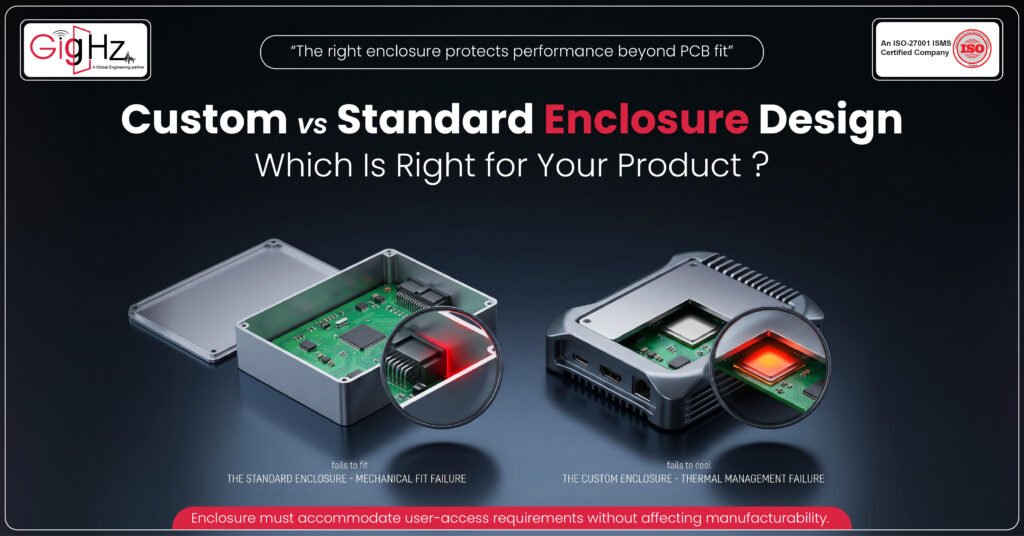
A PCB can work perfectly on the bench and still create problems when it has to fit inside a real product.
The enclosure must accommodate the PCB, components, connectors, cables, mounting points, heat sources, and user-access requirements without affecting reliability or manufacturability.
So, should you use a standard enclosure design or custom enclosure design?
The right choice depends on the product’s mechanical, thermal, electrical, environmental, and manufacturing requirements.
What Is a Standard Enclosure?
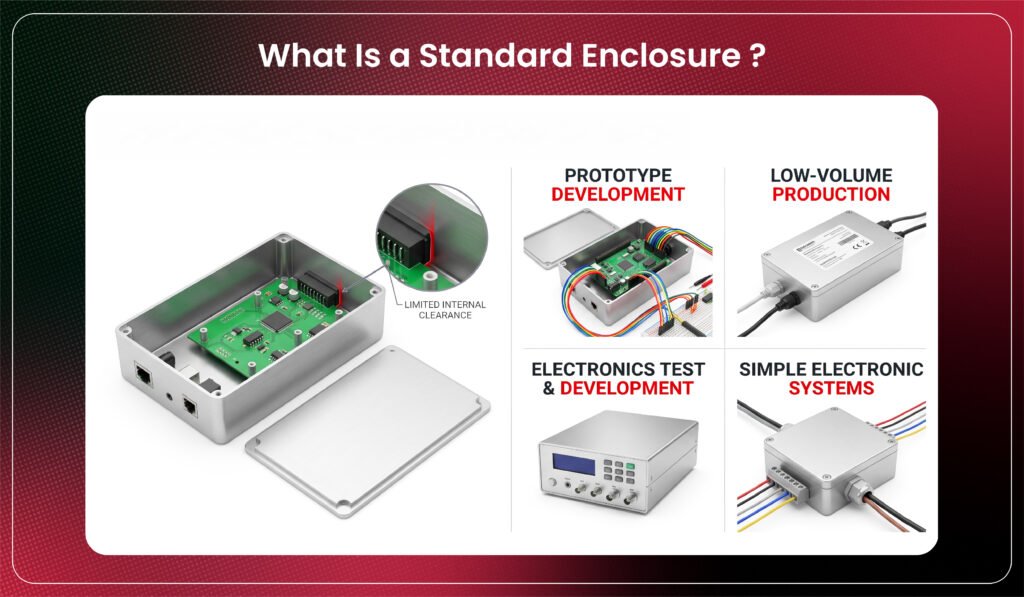
A standard enclosure is an off-the-shelf housing for common applications. It works well when the PCB and components fit without major compromises.
Typical uses include:
- Prototypes
- Low-volume products
- Development equipment
- Simple electronics
Benefits include availability, lower cost, and faster development. However, standard housings may limit PCB size, component height, connector placement, cable routing, and thermal management.
Choose standard when it fits the product without creating engineering compromises.
What Is Custom Enclosure Design?
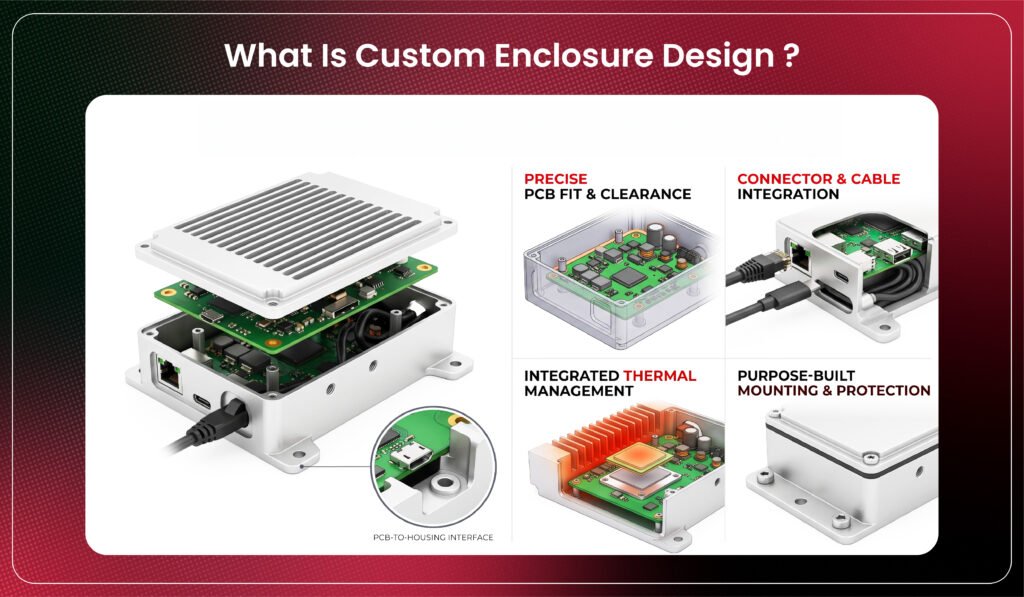
A custom enclosure is designed around the product’s specific requirements.
It can accommodate:
- PCB dimensions and component clearances
- Connector locations and cable routing
- Mounting features
- Thermal management and ventilation
- User interfaces
- Environmental protection
- Product aesthetics
Custom design is useful when the enclosure affects performance, protection, or usability. It offers greater flexibility but requires more engineering and manufacturing effort.
When Should You Choose a Standard Enclosure Design?
A standard enclosure is suitable when the product can comfortably work within an existing housing.
Consider it when:
- The PCB fits available dimensions.
- Connector positions align with openings.
- Component heights fit the internal space.
- Thermal requirements are manageable.
- Cable routing is practical.
- Environmental requirements are modest.
- Faster development is important.
The main advantage is reduced mechanical development time.
But verify the complete assembly. A housing may fit the PCB footprint while still creating problems with connector access, fasteners, cable bend radius, or component clearance.
Design takeaway: Choose standard when its limitations do not compromise the product.
When Does Custom Enclosure Design Make More Sense?
Custom enclosure design becomes appropriate when standard housings cannot accommodate the product efficiently.
Typical requirements include:
- Unusual PCB dimensions
- High component density
- Tight packaging
- Unique connector placement
- Complex cable routing
- Specific thermal requirements
- Environmental protection
- Custom interfaces
- Product-specific mounting
Thermal management is especially important.
An enclosure can restrict airflow or trap heat around critical components. Depending on the design, it may require vents, heat sinks, thermal interfaces, or conductive heat paths.
Design takeaway: Choose custom when mechanical constraints directly affect performance, protection, or usability.
What Should You Compare Before Choosing?
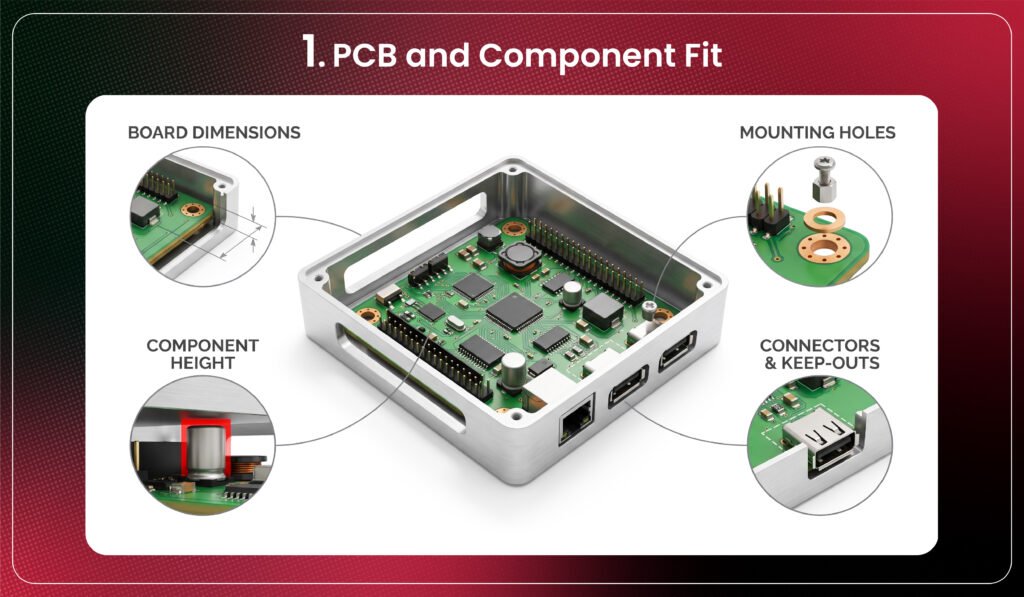
1. PCB and Component Fit
Check board dimensions, component height, mounting holes, keep-outs, and connector locations.
Even a few millimeters of clearance can determine whether assembly is practical.
2. Thermal Management
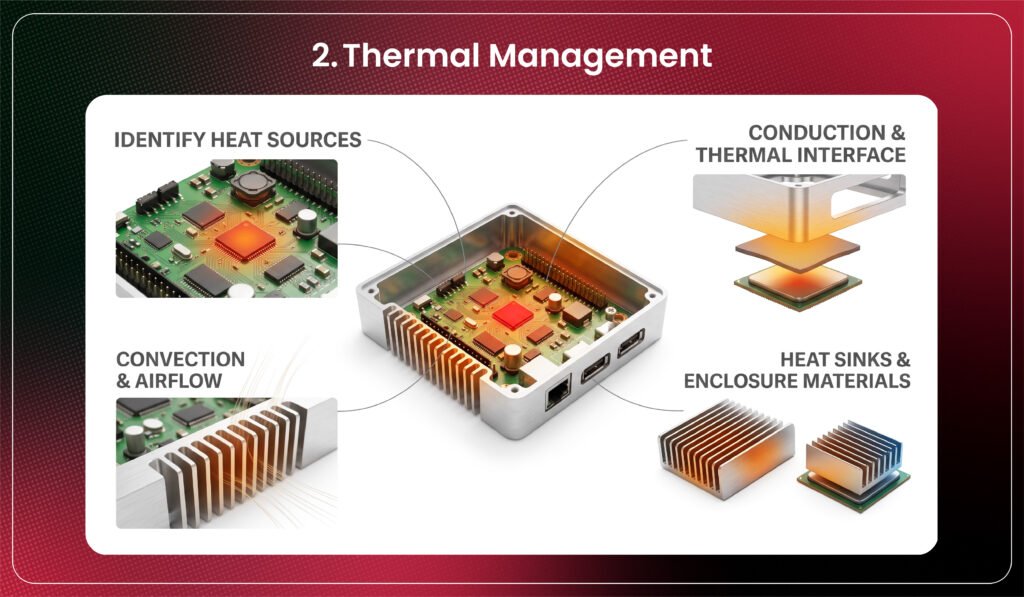
Identify heat sources and determine how heat leaves the product.
Consider conduction, convection, airflow, heat sinks, thermal pads, and enclosure materials.
3. Connector and Cable Access
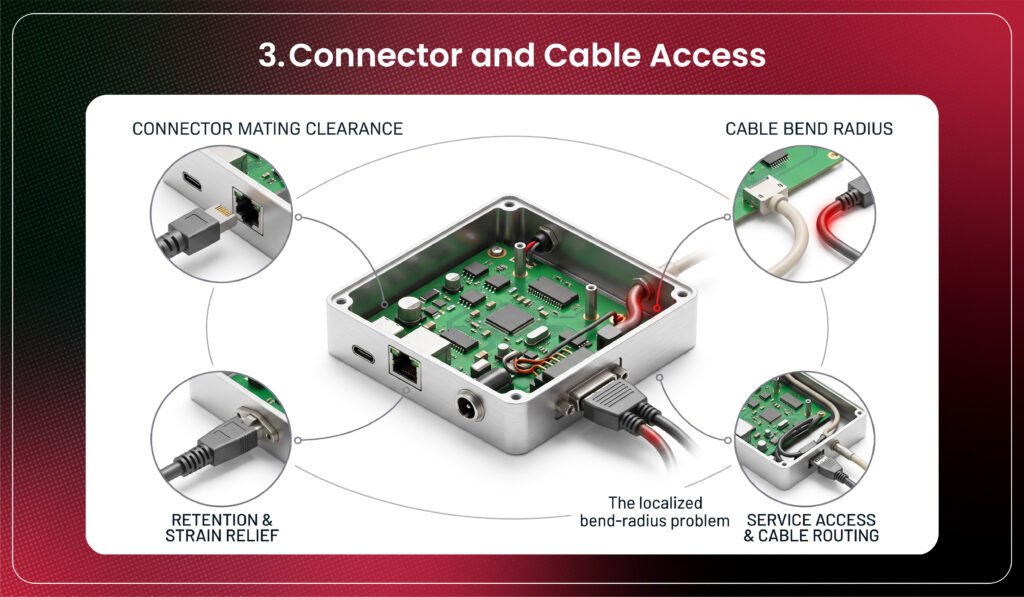
Connectors need clearance for mating, retention, and service access.
Cable bend radius must also be considered. A connector can fit physically but still be difficult to assemble or service.
4. Mechanical Strength
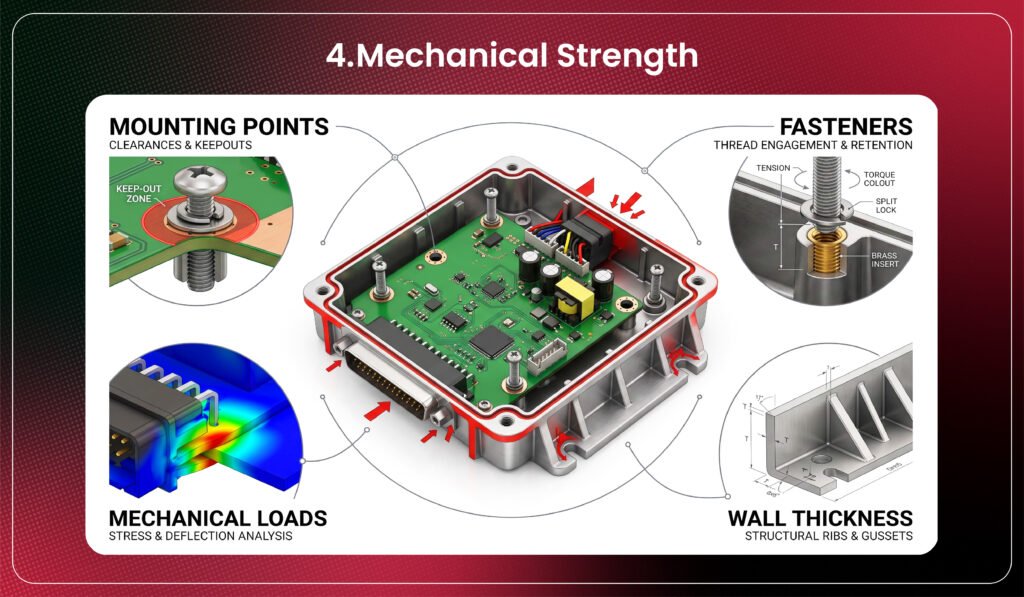
Evaluate mounting points, fasteners, wall thickness, vibration, shock, and mechanical loads.
5. Manufacturing Requirements
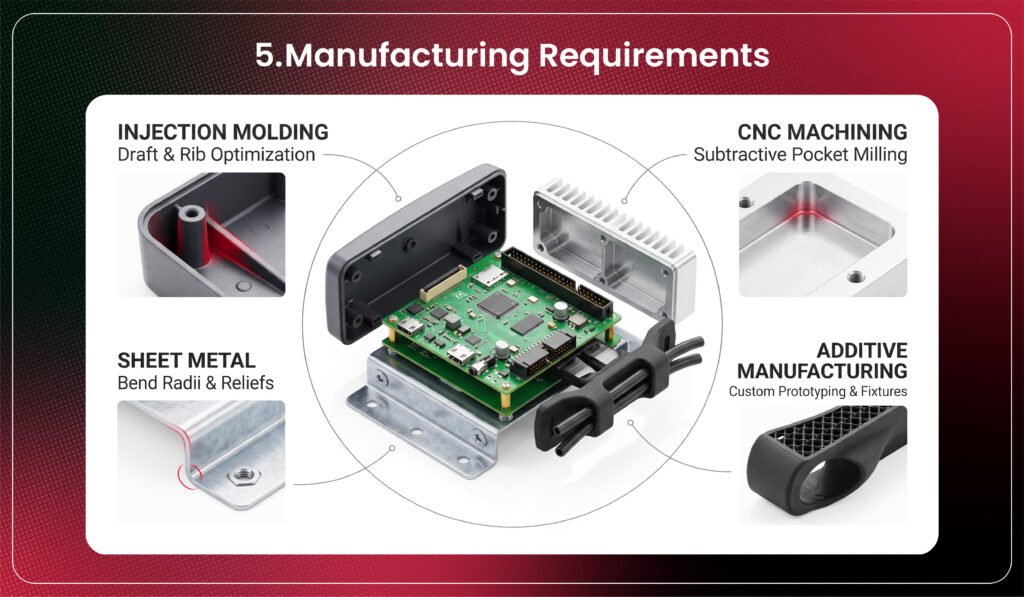
The manufacturing process affects geometry, tolerances, tooling, and cost.
Injection molding, CNC machining, sheet metal, and additive manufacturing each offer different capabilities.
The best enclosure balances performance, manufacturability, cost, and product requirements.
What Happens When Enclosure Design Starts Too Late?
Late enclosure development can turn a simple mechanical decision into expensive rework.
Engineers may discover:
- Connector misalignment
- Insufficient component clearance
- Mounting conflicts
- Poor cable access
- Thermal hotspots
- Inadequate ventilation
- PCB redesign requirements
These issues can create multiple ECAD-MCAD iterations, delaying prototypes and increasing engineering effort.
Enclosure constraints should therefore be considered while the PCB and mechanical architecture are still evolving.
Design takeaway: Early ECAD-MCAD coordination reduces mechanical surprises later.
How to Choose the Right Enclosure
A practical decision process is:
Define requirements → Review PCB constraints → Evaluate standard options → Identify compromises → Assess custom requirements → Validate thermal and mechanical fit → Select the enclosure
If a standard enclosure meets requirements with minimal compromise, it is usually the efficient choice.
If the product requires significant changes to PCB dimensions, connector locations, thermal management, protection, mounting, or user interaction, custom design may be the better option.
Common Enclosure Design Mistakes
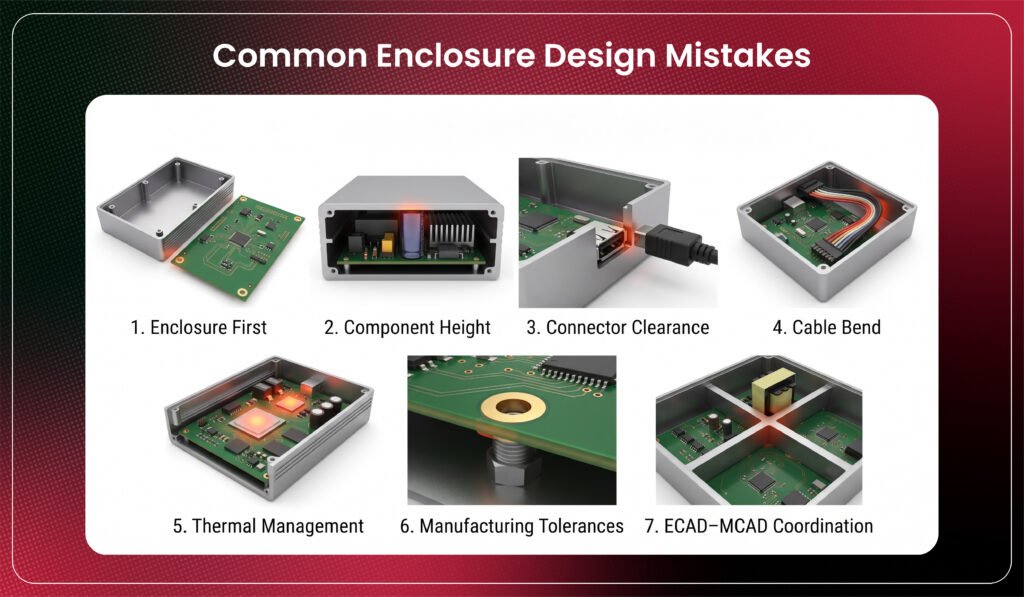
Avoid:
- Selecting an enclosure before understanding PCB constraints
- Ignoring component height
- Leaving insufficient connector clearance
- Forgetting cable bend requirements
- Treating thermal management as an afterthought
- Ignoring manufacturing tolerances
- Skipping ECAD-MCAD coordination
These mistakes can lead to PCB redesign and mechanical rework.
Real-World Engineering Insight
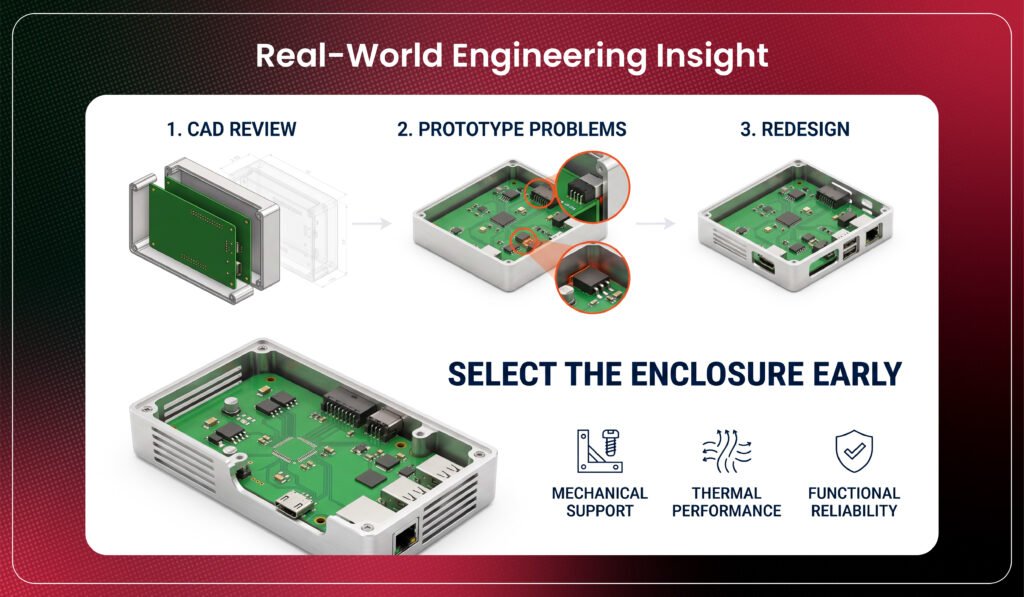
A PCB may fit perfectly inside a standard enclosure during CAD review, yet prototype assembly can reveal that a connector is inaccessible or a heat-generating component sits too close to the enclosure wall.
The electronics work, but the product requires mechanical changes, component relocation, or a different housing.
This is why enclosure selection should happen alongside PCB and mechanical development rather than after layout completion.
A good enclosure does more than contain electronics; it supports their mechanical, thermal, and functional requirements.
Final Answer
Choose a standard enclosure design when an existing housing meets the product’s requirements without major compromises.
Choose custom enclosure design when the product needs specific dimensions, connector locations, thermal solutions, protection, mounting, or industrial-design features.
The decision should begin with the product requirements, not the enclosure catalog.
The right enclosure is not simply the one that fits the PCB; it is the one that supports the complete product.
Improve product fit and reliability.
Start enclosure design early.
Book a Call. Schedule a Free Consultation now. https://calendly.com/gighz/30min
Frequently Asked Questions
- What is a standard enclosure?
An off-the-shelf housing designed for common applications.
- When should I choose a custom enclosure?
When standard options cannot meet product requirements.
- Is custom enclosure design more expensive?
Usually, but it can reduce redesigns and compromises.
- Can enclosure design affect PCB layout?
Yes. It can affect size, placement, connectors, and thermal paths.
- When should enclosure design begin?
Early, alongside PCB and mechanical development.
Stuck in a loop of challenges? Always pick smart solution that works
Have you faced costly rework because 2D drawings skipped in MCAD workflows?
Effective way to prevent MCAD documentation errors recalls?
Please answer both poll questions before submitting.
Thank you for your response! 😊
Latest Post
Get Customized Engineering CAD Design Service

Book a Free Consultation Call
Partner with Gighz and bring your most innovative design concepts to life. Our engineering cad services accelerate development so you can focus on your big vision.
